
 Plugin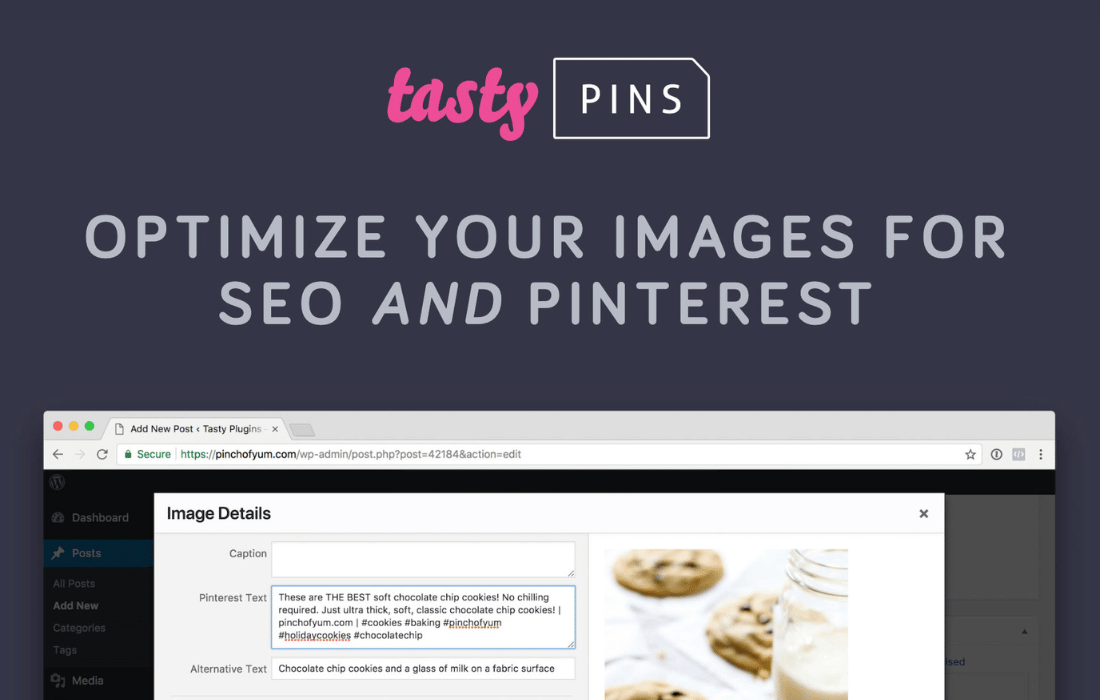
PluginUpdated
Tasty Pins
Tasty Pins is a WordPress plugin for preparing site content for Pinterest.
Product facts
- Version
- 2.4.4
- Released
- 17 October 2026
- Type
- Plugin
- Licence
- GPL
- Included in
- Every plan, or $5.59 / year on its own
Overview
Images from a WordPress site can be prepared for Pinterest with Tasty Pins. The plugin creates Pinterest-friendly images from existing images and lets you add pin descriptions, image titles, and alt tags. You can also add descriptions that are visible to Pinterest but remain hidden on your website, keeping that text separate from the page visitors see.
Tasty Pins gives you control over pinning at the post or page level. Choose which images can be pinned and set a default pin image for each post or page. Manage Pinterest settings in the WordPress dashboard, and use the plugin with Gutenberg, Elementor, and other WordPress page builders. Mobile pin buttons stay in place during layout shifts and do not appear over open mobile menus.
Features
- Create Pinterest images: Create Pinterest-friendly images from images already on your site, giving visitors pin-ready visuals to share.
- Set pin metadata: Add Pinterest descriptions, image titles, and alt tags to control the text and metadata associated with your pins.
- Hide pin descriptions: Add descriptions intended for Pinterest that stay hidden on your website and do not change its visible appearance.
- Control image pinning: Choose which images visitors can pin, then set a default pin image for each post or page.
- Manage settings in WordPress: Adjust Pinterest settings from the WordPress dashboard, alongside your site content and page-building workflow.
- Work with page builders: Use Tasty Pins with Gutenberg, Elementor, and other WordPress page builders when creating or editing site content.
- Mobile pin buttons: Keep always-on pin buttons in place during mobile layout shifts, while preventing them from appearing over open mobile menus.
Best for
- WordPress blogs sharing visual content
- Businesses preparing site images for Pinterest
- Digital marketers managing Pinterest content
Changelog
Version 2.4.4 — 13 October 2026
- New Remove License button in the Tasty Dashboard
- Fixed Always-on mobile pin buttons stay in place during layout shifts
- Fixed Pin buttons no longer appear over open mobile menus
Earlier versions
- 2.4.3 (18 August 2026): 2 improved, 1 fixed
- 2.4.2 (31 March 2026): 1 improved, 1 fixed
- 2.4.1 (17 February 2026): 1 improved, 1 fixed
FAQ
Is Tasty Pins free?
The code of Tasty Pins is licensed under the GPL, so anyone may use, change and share it. GPL 247 is a paid service: a plan or a purchase of Tasty Pins gives you the download and its updates. The developer's own support, licence key and online services are not included.
Which version of Tasty Pins is this?
Version 2.4.4, released 17 October 2026. New versions appear here when the developer publishes them.
How do I update Tasty Pins?
Install GPL 247 Updater on your site and paste your key from My Account. It installs new versions of Tasty Pins for you.
You might also like
Plugin Plugin
 Plugin
 Plugin
 Plugin
 Plugin
 Plugin
 Plugin