
 Plugin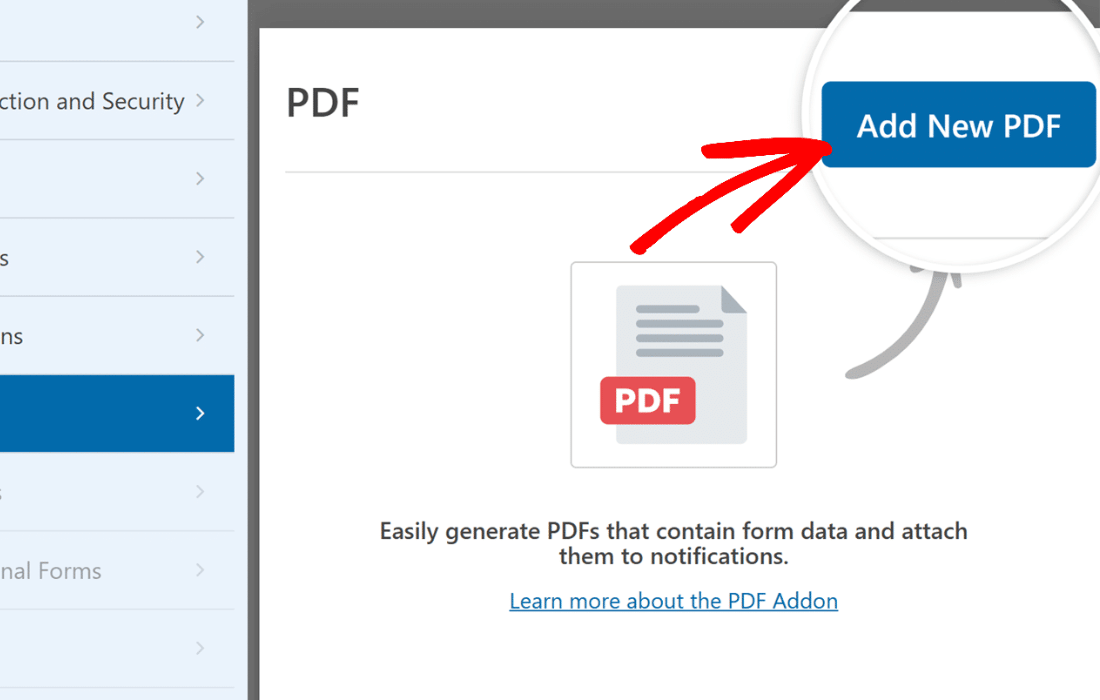
PluginUpdated
WPForms PDF
WPForms PDF is an addon by WPForms that turns WPForms form submissions into PDF documents.
Product facts
- Version
- 1.7.0
- Released
- 30 September 2026
- Type
- Plugin
- Licence
- GPL
- Included in
- Every plan, or $5.59 / year on its own
Overview
Creating a document from form responses can involve copying details into a separate file and styling it by hand. WPForms PDF generates PDFs from WPForms submissions, giving site owners a way to produce documents as part of their form workflow. Its templates cover notifications, documents, financial statements, and certificates, with more than 40 ready-made designs to use as a starting point.
The live preview editor lets you adjust layouts, colors, fonts, and branding elements while viewing the document. You can add logos, headers, and footers, then use the resulting PDFs for purposes such as invoices, contracts, certificates, and notifications. The addon can also let users and administrators download, email, or store generated PDFs.
Features
- Template library: Choose from more than 40 templates across notifications, documents, financial statements, and certificates to shape PDFs for different form workflows.
- Live preview editor: Adjust PDF layouts, colors, fonts, and branding elements in a live preview while customizing the document.
- Form submission PDFs: Generate PDFs from WPForms submissions, turning submitted form information into documents without manual copying.
- Branding controls: Add logos, headers, footers, and custom fonts to give generated documents styling that reflects your brand.
- PDF sharing options: Let users and administrators download, email, or store PDFs generated from form entries for communication and record-keeping.
- Complex form data: Capture form details from checkboxes, dropdowns, and file uploads in generated PDFs, alongside other submitted information.
Best for
- Businesses using WPForms for client documents
- Educational sites issuing certificates
- Financial service sites generating statements
Changelog
Version 1.7.0 — 29 September 2026
- Fixed The entry table in the Document - Table PDF template was missing its outer border and the separator between labels and values.
- Fixed The badge year and label overlapped the badge artwork in the Certificate PDF templates.
- Fixed A table inside a Rich Text or Content field value was missing its outer border and column separators in generated PDFs.
- Fixed Long text content in Rich Text, Paragraph, and Content fields was truncated or lost at page boundaries in the Financial, Certificate, and Notification PDF templates.
- Fixed Order Summary table columns maintained their left-to-right order in generated PDFs when using right-to-left languages.
- Fixed Escaped text in form fields could render as live markup in generated PDFs.
- Fixed PHP warnings were logged when a PDF was rendered without a sender name supplied.
- Fixed The {pdf_links} smart tag displayed all PDF download links on a single line instead of separate lines in notification emails and generated PDFs.
- Fixed The PDF preview in the Form Builder showed the page background and frame in the wrong position and size in Safari.
- Fixed Headings and footers in the Cover Page and Certificate PDF templates were right-aligned instead of centered when using a right-to-left language.
- Fixed The sidebar panel remained on the left side of the page in the Document - Sidebar and Financial - Sidebar PDF templates when using right-to-left languages.
- Fixed Business details, billing, and signature rows in Document and Financial PDF templates maintained their left-to-right order in generated PDFs when using right-to-left languages.
- Fixed The PDF preview in the Form Builder kept table columns in left-to-right order when using right-to-left languages, causing the preview to not match the generated PDF.
- Fixed Side-by-side columns holding long content were stacked bottom-up in generated PDFs when using right-to-left languages.
- Fixed A Hebrew or Arabic field value long enough to wrap had its lines in reverse order in generated PDFs, so the sentence began with its closing words.
- Fixed Field labels and values appeared on the wrong sides in the Document - Table PDF template when using a right-to-left language.
- Security Generated PDF files are now better protected from public browsing and search engine indexing.
- Fixed The Zoom modal under the PDF preview in the Form Builder opened with a blank page in Chrome.
- Fixed No PDF was generated for entries with large uploaded images because embedding the image made the request to the PDF service too large.
Earlier versions
- 1.6.0 (23 July 2026): 4 fixed
- 1.5.0 (30 June 2026): 1 new, 6 fixed
- 1.4.0 (1 April 2026): 6 fixed
FAQ
Is WPForms PDF free?
The code of WPForms PDF is licensed under the GPL, so anyone may use, change and share it. GPL 247 is a paid service: a plan or a purchase of WPForms PDF gives you the download and its updates. The developer's own support, licence key and online services are not included.
Which version of WPForms PDF is this?
Version 1.7.0, released 30 September 2026. New versions appear here when the developer publishes them.
How do I update WPForms PDF?
Install GPL 247 Updater on your site and paste your key from My Account. It installs new versions of WPForms PDF for you.
More from WPForms
Plugin Plugin
 Plugin
 Plugin
 Plugin
 Plugin
 Plugin
 Plugin