
 Plugin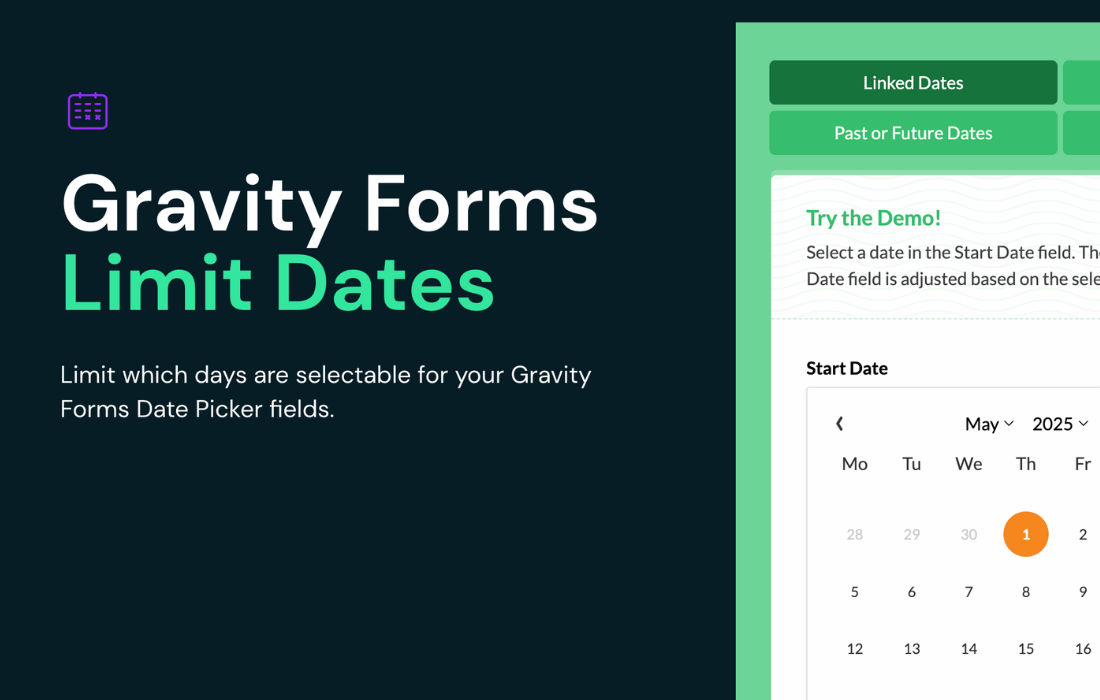
PluginUpdated
Gravity Perks Limit Dates
Gravity Perks Limit Dates is a WordPress plugin by Gravity Wiz for controlling which dates people can select in Gravity Forms date fields.
Product facts
- Version
- 1.1.43
- Released
- 15 October 2026
- Type
- Plugin
- Licence
- GPL
- Included in
- Every plan, or $5.59 / year on its own
Overview
Date fields can accept entries that fall outside your scheduling rules. Gravity Perks Limit Dates lets you set minimum and maximum dates, limit selection to future or past dates, and choose which days of the week are available. You can set limits manually, relative to the current date, or dynamically based on another form field.
For schedules with exceptions, you can allow or block specific dates regardless of the general rules. Linked date fields can use a chosen date in one field to set the minimum or maximum in another, which suits start and end dates for bookings. The plugin also supports timezone-aware date display, inline calendars, and date validation for manual entries and selections.
Features
- Set date ranges: Choose minimum and maximum dates manually, relative to the current date, or dynamically from other form field selections.
- Limit past or future dates: Restrict a date field to past dates or future dates for forms that collect historical information or upcoming appointments.
- Choose available weekdays: Specify which days of the week people can select, including options for limiting dates to weekdays or weekends.
- Add date exceptions: Allow or block specific dates even when they differ from the field's general date rules, such as holidays or special availability.
- Link date fields: Set the minimum or maximum date in one field based on the date selected in another, supporting start and end date forms.
- Show dates by timezone: Display dates according to the timezone configured in WordPress, keeping date presentation consistent with the site setting.
- Display an inline calendar: Show the datepicker within the form instead of as a popup, and set it to open when a date field receives focus.
- Validate date entries: Check dates selected in the calendar or entered manually on the client side and server side to prevent invalid or out-of-range submissions.
Best for
- Appointment scheduling forms
- Event registration websites
- Reservation and booking forms
Changelog
Version 1.1.43 — 15 October 2026
- New Added a setting to open the date picker on focus; providing an opt-in way to open the Gravity Forms 3.0 datepicker automatically when a Date field receives focus.
Earlier versions
- 1.1.42 (30 September 2026): 3 fixed
- 1.1.41 (17 September 2026): 1 improved
- 1.1.40 (9 September 2026): 2 fixed
FAQ
Is Gravity Perks Limit Dates free?
The code of Gravity Perks Limit Dates is licensed under the GPL, so anyone may use, change and share it. GPL 247 is a paid service: a plan or a purchase of Gravity Perks Limit Dates gives you the download and its updates. The developer's own support, licence key and online services are not included.
Which version of Gravity Perks Limit Dates is this?
Version 1.1.43, released 15 October 2026. New versions appear here when the developer publishes them.
How do I update Gravity Perks Limit Dates?
Install GPL 247 Updater on your site and paste your key from My Account. It installs new versions of Gravity Perks Limit Dates for you.
More from Gravity Wiz
Plugin Plugin
 Plugin
 Plugin
 Plugin
 Plugin
 Plugin
 Plugin