
 Plugin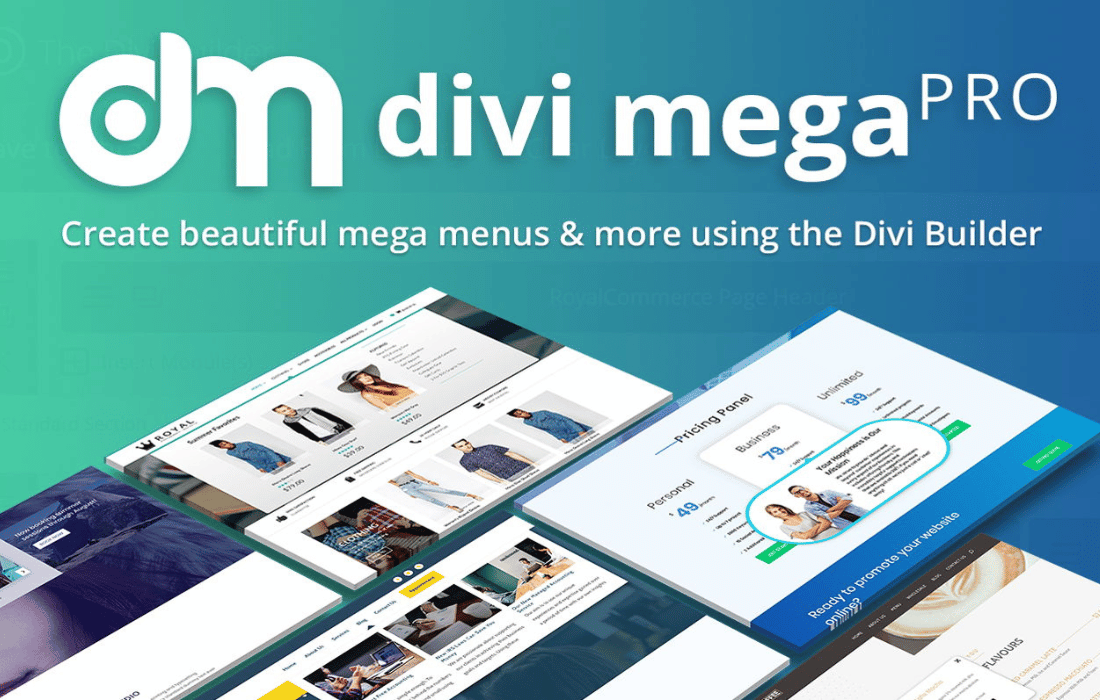
PluginUpdated
Divi Mega Pro
Divi Mega Pro by Divi Life is a WordPress plugin for building custom mega menus and tooltips with the Divi Builder.
Product facts
- Version
- 1.9.8.9
- Released
- 11 December 2025
- Type
- Plugin
- Licence
- GPL
- Included in
- Every plan, or $4.79 / year on its own
Overview
Standard text menus can make it difficult to present several types of content within a site’s navigation. Divi Mega Pro lets you create custom mega menus using the Divi Builder, where you can arrange content in multi-column layouts. Menus are managed through a dedicated custom post type, making it easier to organize multiple menus and tooltips.
The plugin also lets you attach tooltips to page elements using CSS classes, with hover or click triggers. Use them to show additional information, images, or forms in context. Menus can include Divi modules, third-party content, and WordPress plugin content, while design options include gradients, shadows, and animations. Menus and tooltips are designed for different screen sizes.
Features
- Visual menu building: Create custom, multi-column mega menus with the Divi Builder and control their layout and style through its visual tools.
- Divi module content: Add Divi’s built-in modules, third-party modules, and WordPress plugin content to menus, including items such as sliders, tabs, and shopping carts.
- Hover or click tooltips: Create tooltips that display additional information, images, or forms when visitors hover over or click elements on your site.
- Organized menu content: Use a dedicated custom post type to create and manage multiple mega menus and tooltips.
- Element-based triggers: Attach menus or tooltips to page elements with CSS classes, then choose hover or click as the trigger.
- Design controls: Style navigation elements with Divi design options such as gradients, shadows, and animations, without writing code.
- WooCommerce content: Place login forms, shopping carts, and eCommerce products inside menus for a store navigation experience.
Best for
- Divi-powered business websites
- WooCommerce stores using Divi
- Divi designers building custom navigation
Changelog
Version 1.9.8.9 — 2 April 2024
- Improved Positioning when triggered from Divi main content or Divi section with Sticky Position
- Improved Improve mobile device support
- Improved Swap default Arrow SVG icon to Arrow with sharp edges
- Fixed Click trigger issue on macOS - Safari latest releases
- Fixed Rare cases where 10px padding left is added when Mega Pro width is 100%
- Fixed No placement on top in Mobile when trigger is on footer
- Fixed Mega Pro appending to hidden Divi content
Earlier versions
- 1.9.8.2 (28 April 2023): 2 improved, 1 fixed
- 1.9.7 (22 June 2022): 4 fixed
FAQ
Is Divi Mega Pro free?
The code of Divi Mega Pro is licensed under the GPL, so anyone may use, change and share it. GPL 247 is a paid service: a plan or a purchase of Divi Mega Pro gives you the download and its updates. The developer's own support, licence key and online services are not included.
Which version of Divi Mega Pro is this?
Version 1.9.8.9, released 11 December 2025. New versions appear here when the developer publishes them.
How do I update Divi Mega Pro?
Install GPL 247 Updater on your site and paste your key from My Account. It installs new versions of Divi Mega Pro for you.
More from Divi Life
Plugin Plugin
 Plugin
 Plugin