
 Plugin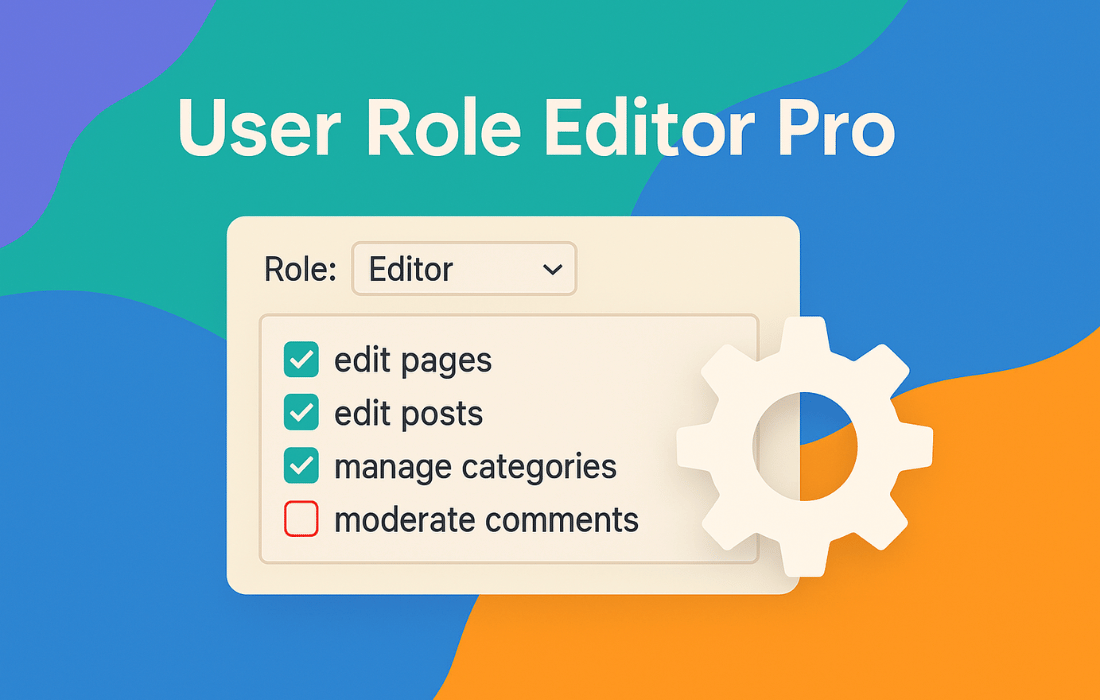
PluginUpdated
User Role Editor Pro
User Role Editor Pro is a WordPress plugin by Vladimir Garagulia for managing user roles and permissions.
Product facts
- Version
- 4.66.4
- Released
- 27 October 2026
- Type
- Plugin
- Licence
- GPL
- Included in
- Every plan, or $4.79 / year on its own
Overview
WordPress roles determine which tasks users can perform, but a site may need more specific access rules than its existing roles provide. User Role Editor Pro lets administrators change role capabilities or create custom roles through an interface, so permissions can reflect the needs of a membership site, multi-author blog, or other WordPress website.
Access controls extend to admin menu items, widgets, sidebars, and dashboard or post meta boxes, with visibility and editing permissions set by role. The plugin also supports multisite role management from the network admin panel, content editing restrictions, and role import and export. These tools suit site owners who need to organize access across a single site or a multisite network.
Features
- Custom role editing: Modify existing WordPress roles or create new roles, then tailor their capabilities to the tasks users need to perform.
- Admin menu access: Restrict access to selected admin menu items by role to define which areas users can reach in the WordPress backend.
- Front-end menu visibility: Show or hide front-end menu items according to a visitor's login status and user role.
- Widget and meta box controls: Limit selected roles' access to widgets, sidebars, and dashboard or post and page meta boxes.
- Content editing rules: Set permissions for creating or editing posts, pages, and custom post types, with restrictions based on post IDs, taxonomies, or authors.
- Multisite role management: Use the network admin panel to edit, replicate, and assign user roles and capabilities across subsites.
- Role import and export: Export user roles and capabilities or import them to move role settings between sites or keep a copy of the configuration.
Best for
- Membership site administrators
- Multi-author WordPress blogs
- WordPress multisite network managers
Changelog
Version 4.66.4 — 27 October 2026
- Improved Core version: 4.66.3
- Improved Marked as compatible with WordPress version 7.2
- Improved Required PHP version increased up to 8.2
- Fixed Content view restrictions add-on: restricted posts were not excluded from the front-end posts lists (home page, search results, archives) and from other posts queries, which do not set a single post type: post type is not set at all, set as an array of post types or as 'any'. The check "restrictions are applied to the public custom post types only" added in version 4.63 skipped such queries. Now such queries are skipped only if all requested post types are registered non-public ones. A single post/page view is processed as before: the selected access error action is applied. Discovered and responsibly reported by Michael LaRue.
- Fixed Content view restrictions add-on: the access error action set for a role/user was not loaded under PHP 8, when a post was blocked at the roles level: a string constant was compared with 0 instead of the current access error action value. URE_Content_View_Restrictions::get_access_error_action() returned 0, and the redirect access error action set via the 'ure_content_view_access_data_for_user' or 'ure_content_view_access_data_for_role' filter was not applied. Reported by Michael LaRue.
- New "Current user Media only" option. Turn it on at Settings > Additional Modules, then tick "Current user Media only" in the "Additional Options" section of the role editor for any role: users with that role see only the media items they uploaded themselves in the Media Library (wp-admin only; administrators are not restricted). Use the 'ure_attachments_show_full_list' filter (return true) to show the full list in a custom context.
- New Brazilian Portuguese (pt_BR) translation was added. Thanks to Jayron Castro.
- Fixed Admin menu access add-on: Remove only menu items, which submenu was emptied as blocked by URE itself. Some plugins/themes (e.g. Hello Elementor) intentionally remove all their submenu items at 'admin_head' to show a top level menu item only, and URE Pro removed such top level menu item.
- Improved Admin menu access add-on: the code which applies admin menu restrictions was moved to the separate URE_Admin_Menu_Access_Restrict class, which is not loaded for superadmin at all, as URE Pro does not restrict superadmin. URE_Admin_Menu_Access class keeps the code required for every user: Admin Menu access UI, admin menu copy update.
- Fixed Admin menu access add-on: a top level menu item, which is a submenu item for administrator (the admin menu copy is made for administrator), was not removed from menu when blocked (not allowed) for another role. Example: Wordfence "Login Security" page is a submenu item under "Wordfence" for users with 'activate_plugins' capability and a top level menu item for other users. Now restrictions set for the submenu item are applied to such top level menu item too.
- Fixed Several labels on the "About" box ("User Role Editor", "User Role Editor Pro", "Version:", "Plugin URL:", "Download URL:", "Author:", "Send support question") and the "Reset User Roles" heading at the Settings > Tools tab were hardcoded in English and could not be translated. The misspelled "Dowload URL:" label was corrected to "Download URL:".
- Improved "Admin Menu", "Gravity Forms Access", "Meta Boxes", "Nav Menus", "Other Roles", "Plugins", "Posts Edit" and "Widgets Admin" add-ons dialogs JavaScript: the own copy of the AJAX request success handler, identical to the core one, was removed; the core ure_main.update_success() is used instead.
- Improved Admin menu access add-on: unused code was removed from URE_Admin_Menu_Copy::get_submenu(): it added the "Profile" item to a local copy of the admin menu, which was not used. URE_Admin_Menu_Copy::get_menu() adds this item to the admin menu copy.
- Fixed Multisite: only the first 100 sites of a network were processed when a role change was applied to all sites of the network, network add-ons data was replicated, a role was imported to all sites, and plugin data was cleaned up on uninstall, as get_sites() (used by URE_Base_Lib::get_blog_ids() since version 4.66) returns 100 sites max by default.
- New 'ure_get_blog_ids_args' filter allows to exclude archived, spam and deleted sites from the list of network sites processed by the plugin (e.g. when a role change is applied to all sites of the network). Return an array with any of 'archived', 'spam', 'deleted' keys set to 0 (exclude such sites) or 1 (process such sites only), e.g. array( 'archived' => 0, 'spam' => 0, 'deleted' => 0 ). Other get_sites() arguments are ignored. Plugin data cleanup on uninstall always processes all sites.
Earlier versions
- 4.66.3 (25 September 2026): 2 fixed, 1 security
- 4.66.2 (15 September 2026): 1 fixed
- 4.66 (25 August 2026): 17 improved, 15 fixed, 2 security
FAQ
Is User Role Editor Pro free?
The code of User Role Editor Pro is licensed under the GPL, so anyone may use, change and share it. GPL 247 is a paid service: a plan or a purchase of User Role Editor Pro gives you the download and its updates. The developer's own support, licence key and online services are not included.
Which version of User Role Editor Pro is this?
Version 4.66.4, released 27 October 2026. New versions appear here when the developer publishes them.
How do I update User Role Editor Pro?
Install GPL 247 Updater on your site and paste your key from My Account. It installs new versions of User Role Editor Pro for you.
You might also like
Plugin Plugin
 Plugin
 Plugin
 Plugin
 Plugin
 Plugin
 Plugin